

Cull, grade, post. One Selecta for everything after the shoot.
For Mac. For photographers, creators and travellers who come back with thousands of frames.
Private beta for macOS 14 or later · yearly plans save up to 34%
RAW from every major camera








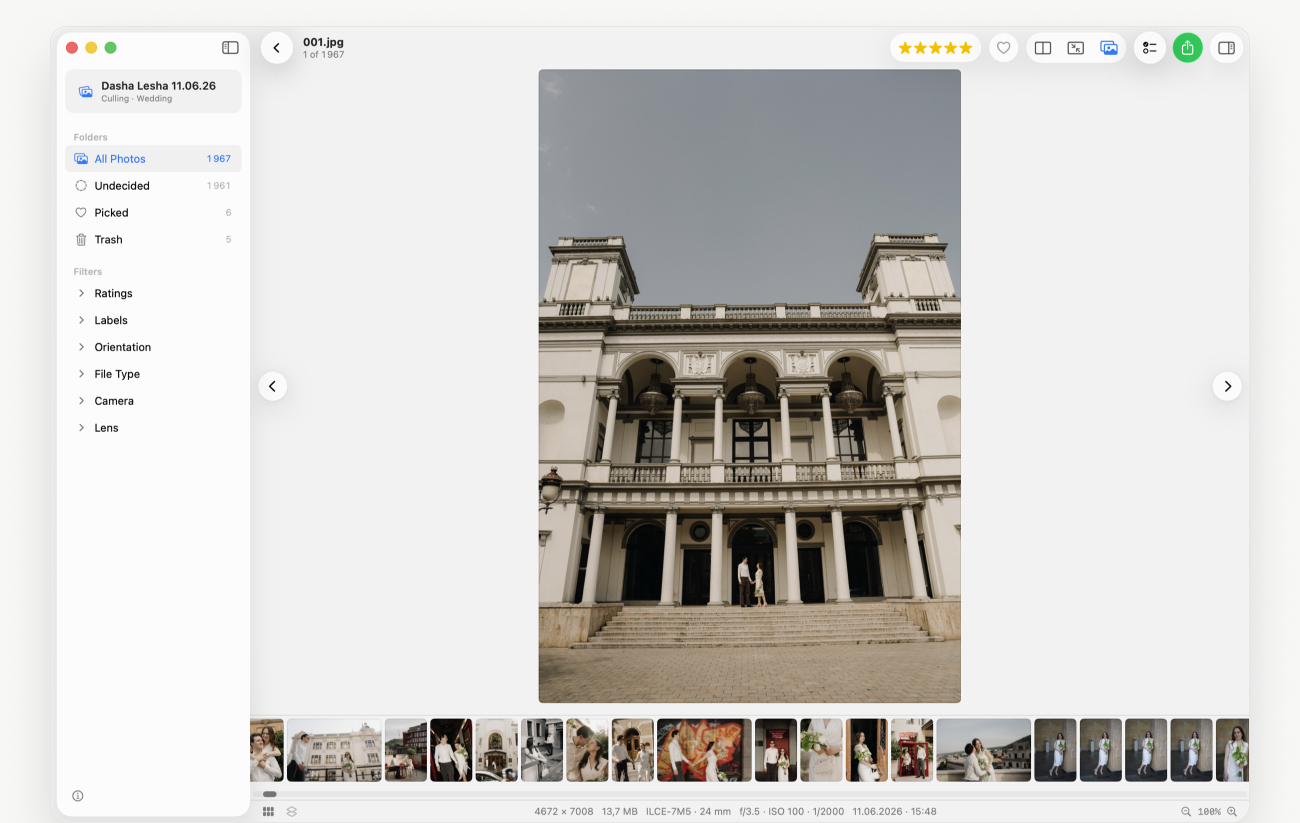
Step 01 · Culling
Three thousand frames — in one evening
Smart culling groups similar frames into bursts and marks the best one, finds closed eyes and blurry shots, splits the shoot into moments. Side-by-side compare, loupe, stars and hearts — all from the keyboard.
More about culling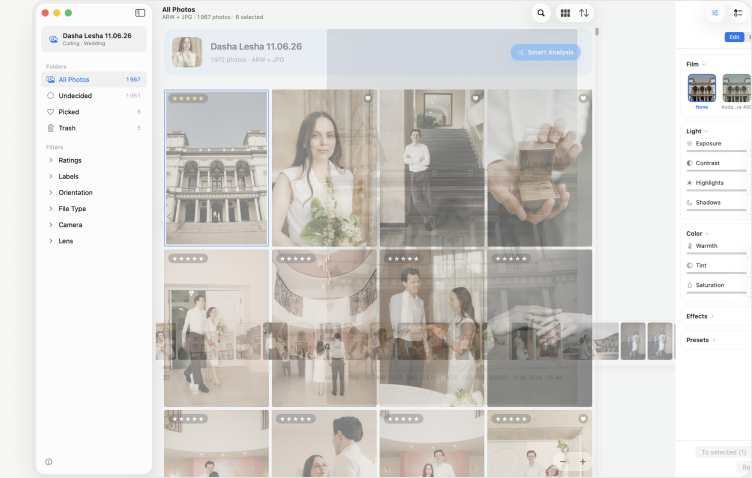
Step 02 · Editing
Film and light — across the whole shoot with one button
Film looks in the spirit of Portra and Classic Chrome, exposure, contrast, shadows, warmth. “Apply to all” lays the edit on every frame at once. Files on disk never change: the edit lives alongside and only leaves in export.
How editing works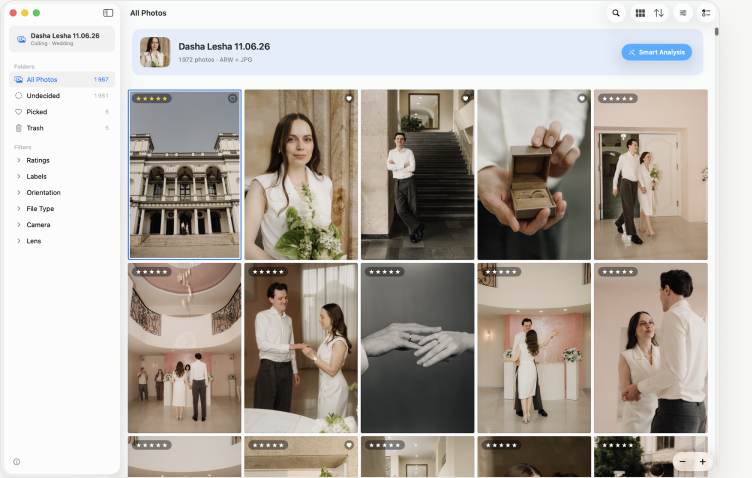
Step 03 · Board
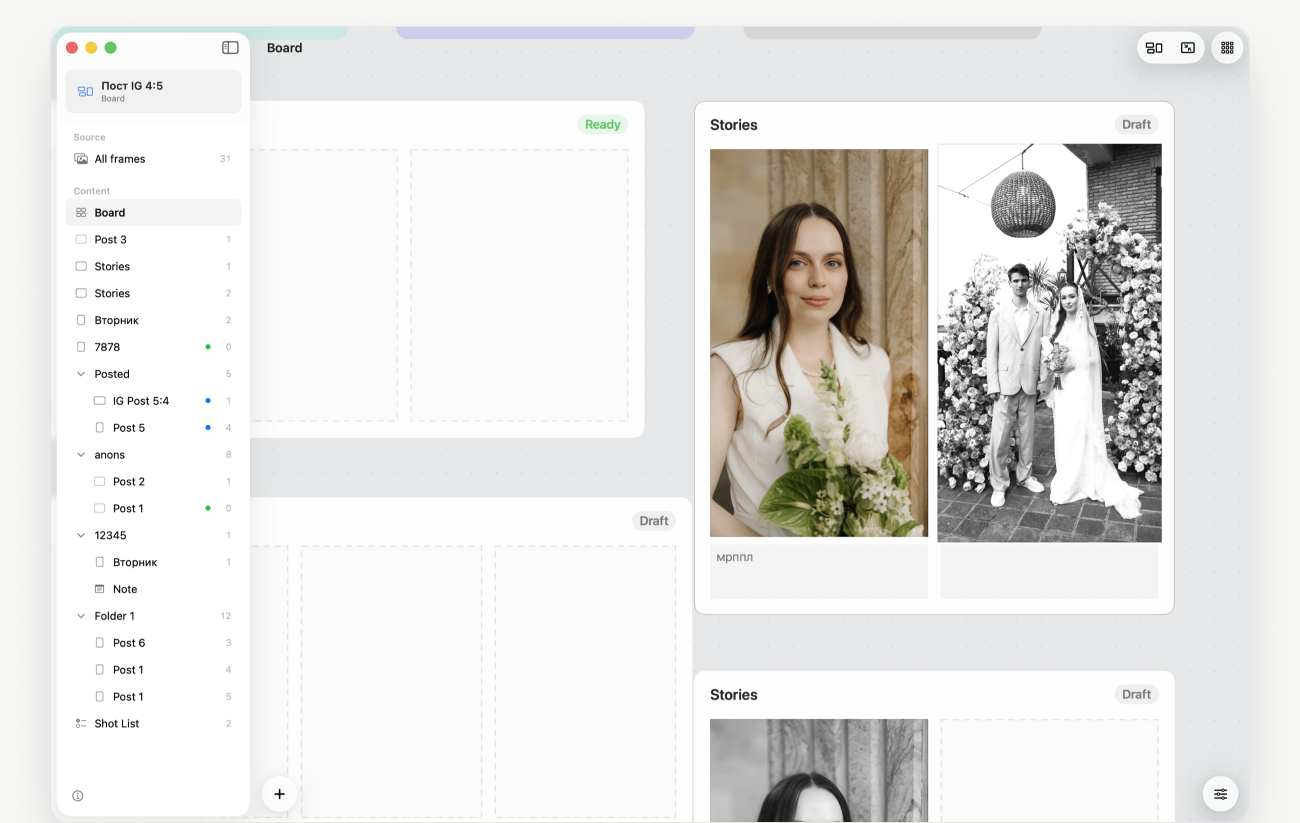
Posts and carousels — straight from the pick
Drag frames onto the board: post, story, collage. Captions under frames, notes and checklists, film looks and editing for the whole post. The feed shows how it will look in the profile. Export for social networks — and publish.
More about the board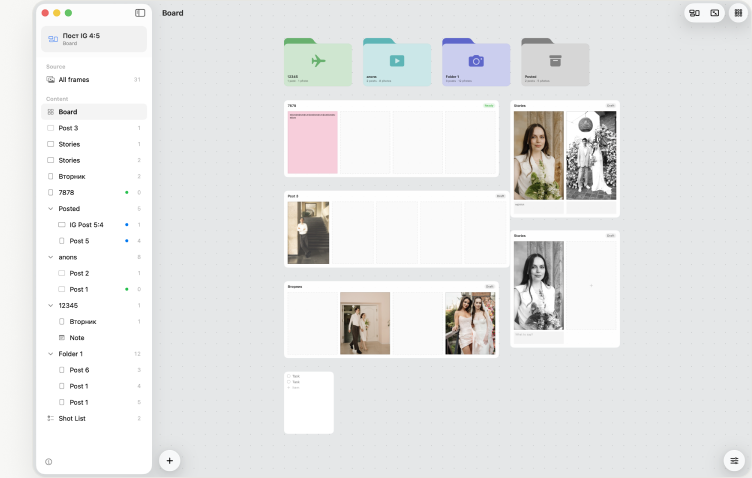
Made for
- Wedding and event photographers3,000 RAW files from one day, culled the same evening.
- Family, portrait and travelBursts folded, eyes checked, one look across the set.
- Creators who post the resultsCarousels and stories planned on the board, exported ready for social networks.
Instead of three apps and two spreadsheets
| Selecta Pro | Photo Mechanic + Lightroom + Planoly | |
|---|---|---|
| Culling 3,000 RAW files | bursts, faces, quality — automatic | by hand, frame by frame |
| Editing frames | film and light, files untouched | export and re-import |
| Posts and carousels | on the board, from the same frames | upload to a separate service |
| Profile feed | preview built in | a subscription in a third window |
| Where it computes | on your Mac, offline | partly in the cloud |
| Price | one subscription | three subscriptions |
Early access
Be first in when the beta opens
Leave your email and we’ll send one invite, not a newsletter. Yearly plans save up to 34%.
From the maker of TinyFolder and Impro for Mac.
Questions people ask before buying
Do you change my files?
No. RAW and JPEG on disk stay as they are. Marks, edits and the board are stored next to the project, and processed copies appear only on export — you choose where.
Which cameras are supported?
RAW from Sony, Canon, Nikon, Fujifilm, Panasonic, Olympus and DNG, plus JPEG, HEIC, PNG and TIFF.
Do I need the internet?
No. Smart culling, faces and quality are computed on your Mac. The internet is only needed to buy the subscription.
How does the free week work?
The seven free days come with the yearly plan and are handled by the App Store. Cancel before they end and nothing is charged; otherwise the year is billed. The monthly plan has no free period.
What happens if I cancel?
Projects and marks stay. Without a subscription, smart culling, editing and slide export are locked; viewing and manual picking keep working.
Can I move the pick to Lightroom?
Yes: ratings and labels go to XMP next to the frames, and Lightroom picks them up on import.
How is Selecta different from AI culling and retouching tools?
Selecta is one flat Mac app: culling, film-look editing and a post board, all on-device, with no credits, no per-photo fees and no AI trained on your past edits. It does not do skin or background retouching; for that, keep your retouching tool.
Are there credits or per-photo fees?
No. Both plans include unlimited photos and unlimited exports.
Do my photos leave my Mac?
No. Nothing is uploaded: bursts, faces, quality and film looks are all computed on your Mac.
Does it replace Lightroom?
For most shoots, yes: pick, film look, light, export. For heavy retouching keep Lightroom or Photoshop; ratings and labels travel there via XMP.