Posts and carousels
Drag frames in — the post is ready. Slide order, insert between frames, 4:5 and 5:4 formats.
Post board
Posts, carousels and stories are built from the same frames you picked. Captions, notes and checklists next to them. The feed shows how it lands in the profile, export hands you 4:5 slides.
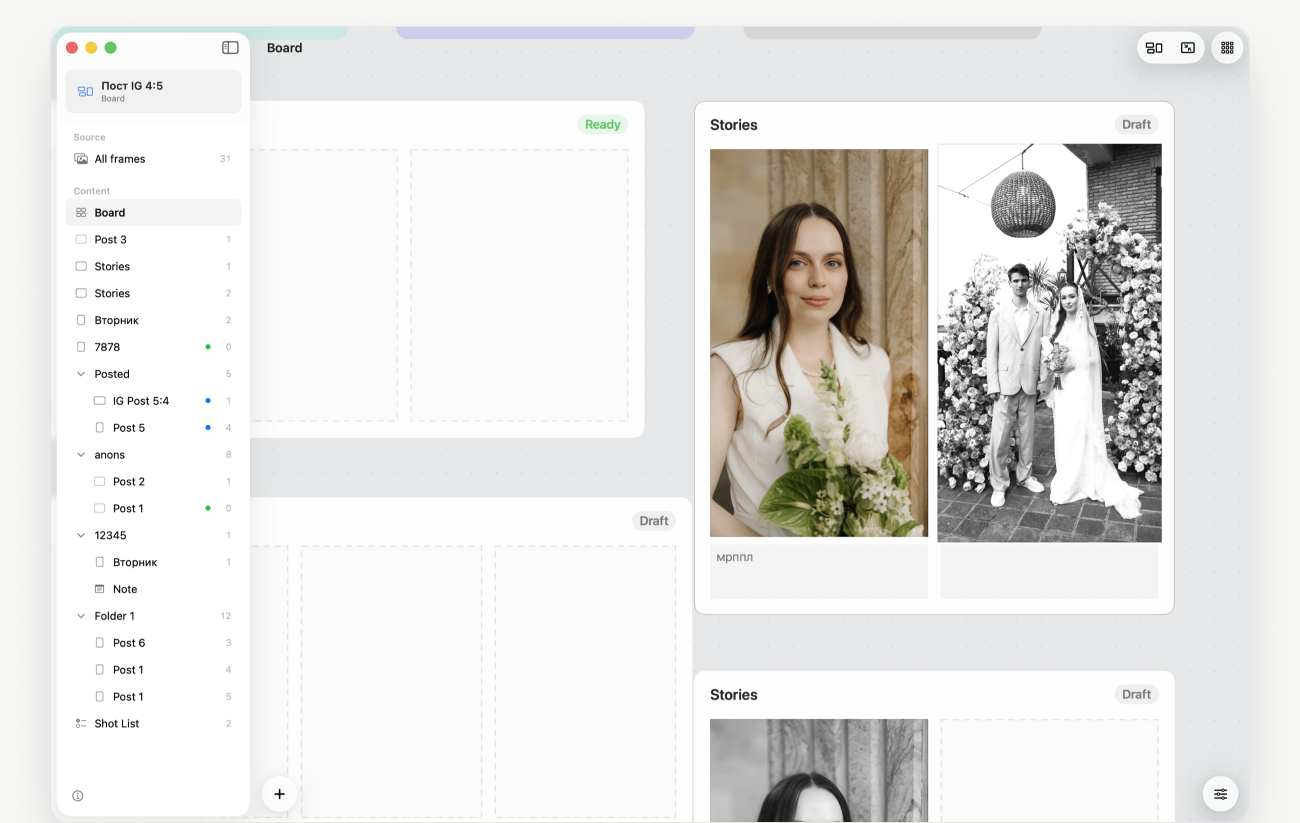
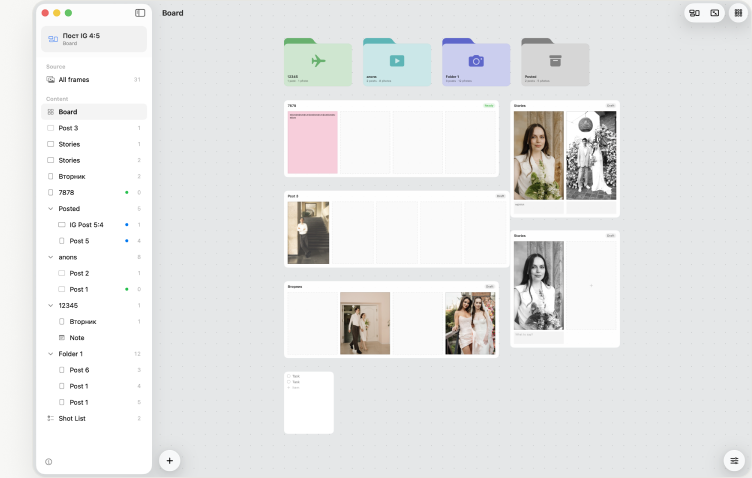
Drag frames in — the post is ready. Slide order, insert between frames, 4:5 and 5:4 formats.
Vertical slides with a caption under each frame: what to say, when to post.
Two to four frames in one slide, cropping right on the board, baked on export.
Stickers and to-do lists next to the posts. An item ticks itself when the frame is placed.
One film look for the whole post or for selected frames. Originals never change.
Preview of the profile grid: post covers, publishing plan, empty cells as rules.
Draft, ready, published. Published posts move to their own folder on their own.
Bring frames from any folder on disk onto the board — with their edits.
JPEG 4:5 with captions, collages and the film look. Upload to Instagram as is.
The board shows how the profile grid will look with the posts you are planning.
Canvas
Posts, folders, notes and checklists lie next to each other, like on a desk. Zoom in to work on a frame, zoom out to see a month of publishing at once. Cards make room on their own, and “Tidy up” lays everything out on a grid.
Early access
Leave your email and we’ll send one invite, not a newsletter. Early users get 30% off the first year.
From the maker of TinyFolder and Impro for Mac.